Audit log and data sources
See who changed and read what, and find purpose and retention of all collections on one page.
Two pages help you to give account: the audit log records what happened in the instance, and the page Purposes and retention states what each collection is for.
Reading the audit log
You find the audit log under Operations, Audit log.
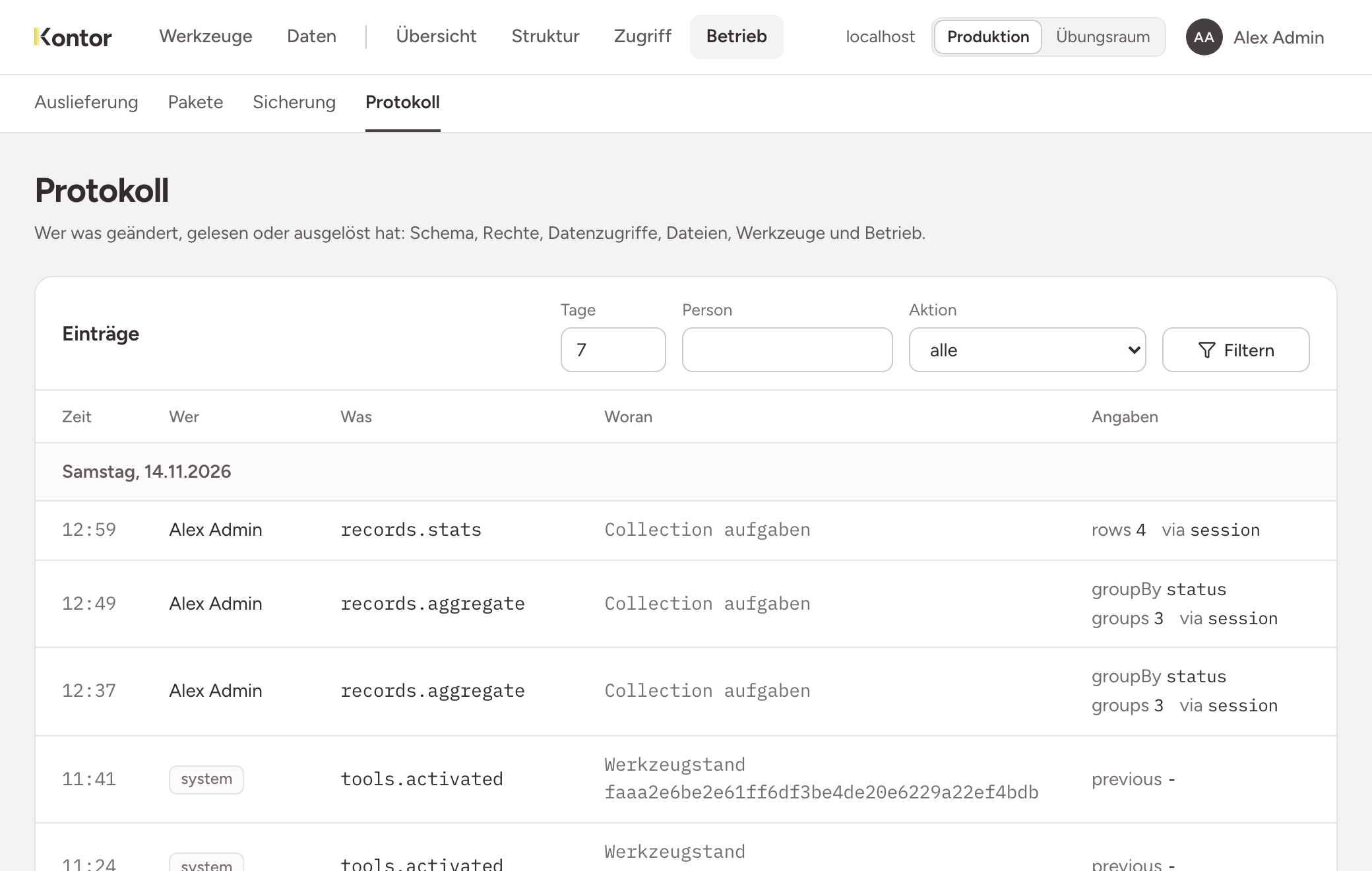
Every entry has five parts:
- Time: when it happened. The entries are grouped by day, the latest at the top.
- Who: the person, with a link to their page.
systemstands for what the instance did by itself, such as delivering a tool state. - What: the action, for example
role.createdorbackup.restored. - On what: the subject, such as a role, a collection or a token.
- Details: particulars as pairs of name and value, such as the number of rows read. For access to data,
vianames the way the request came in.
What the audit log contains
- People and roles: first sign-in, roles and groups with their memberships, pre-assignments, access tokens.
- Permissions: every permission on a collection, tool, bucket and capability, granted and revoked.
- Structure: collections, fields, values, indexes, deprecating, publishing, applying from the practice room.
- Data: reading from a certain number of rows upwards or when paging, every count and evaluation, export and import.
- Files and mail: uploading, downloading, deleting, every message sent and refused.
- Operations: tool states, backup, restore, packages.
What the audit log never contains
The audit log contains field names, no field values. It states that someone read 40 rows of the collection customers, not which ones and not with which filter. Free text such as the purpose of a collection or the name of a token is not in it either.
Entries can neither be changed nor deleted, not by you either. A restore from a backup does not overwrite the audit log.
Filtering and searching
Without a filter the page shows the last seven days. Above the list there are three fields:
- Days: how far back the list goes.
- Person: name or email. The list then shows only what this person did.
- Action: an action from the list, or any.
Choose Filter. A page shows 100 entries. Below it you see which part you are looking at and how many entries there are in total. Previous and Next turn the pages.
The search term never appears in an address. A filtered view can therefore not be passed on as a link.
Data sources: purpose and retention of all collections
You reach the page Purposes and retention under Structure, Schema through the link Purposes and retention of all collections.
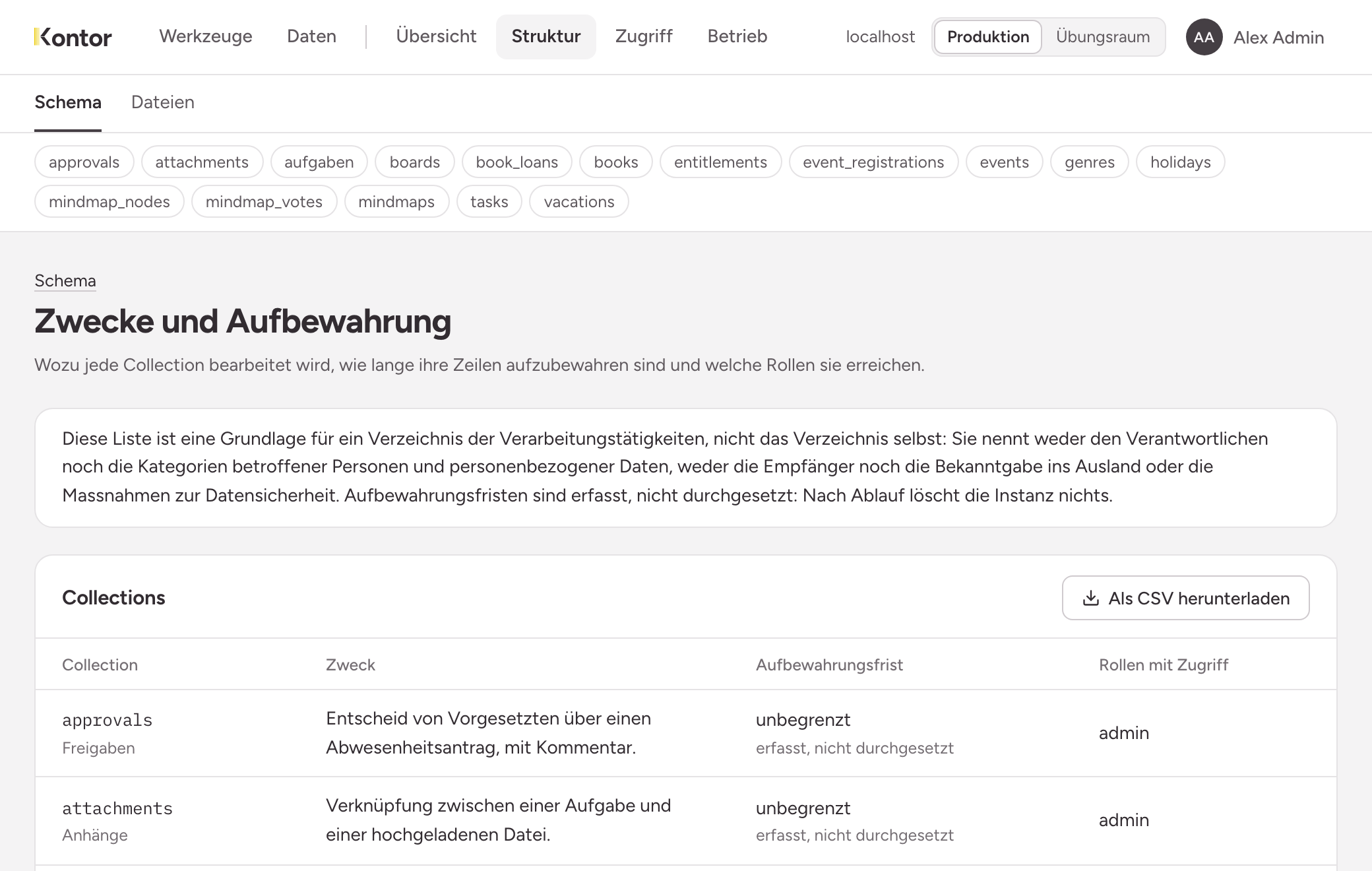
For each collection it shows name and title, the Purpose, the Retention and the Roles with access. not stated means: the collection lacks purpose and retention. Open it and state both, see Structure: collections and fields. The Overview lists such collections under Things worth noticing.
Download as CSV gives you the same list as a file. The download is recorded in the audit log.
The retention period is documented, not enforced. When it ends, the instance deletes nothing. Who deletes is your decision.