Contexts: teams see only their rows
A context splits the rows of a collection by one attribute. Groups see the rows with their values.
Between the scopes own (own rows) and all (every row) lies what teams need: the Bern team sees the Bern customers, the Zurich team the Zurich ones, management sees all of them. That is what contexts are for.
A context is an attribute with a short list of values, for example Canton with Bern, Zurich and Lucerne. Four things work together:
- The context has values.
- Groups are mapped to values.
- The collection has a field of type
context. Every row carries a value through it. - A role has the scope
contexton the collection.
Whoever holds the role then sees their own rows plus the rows whose value belongs to one of their groups.
Creating a context with values
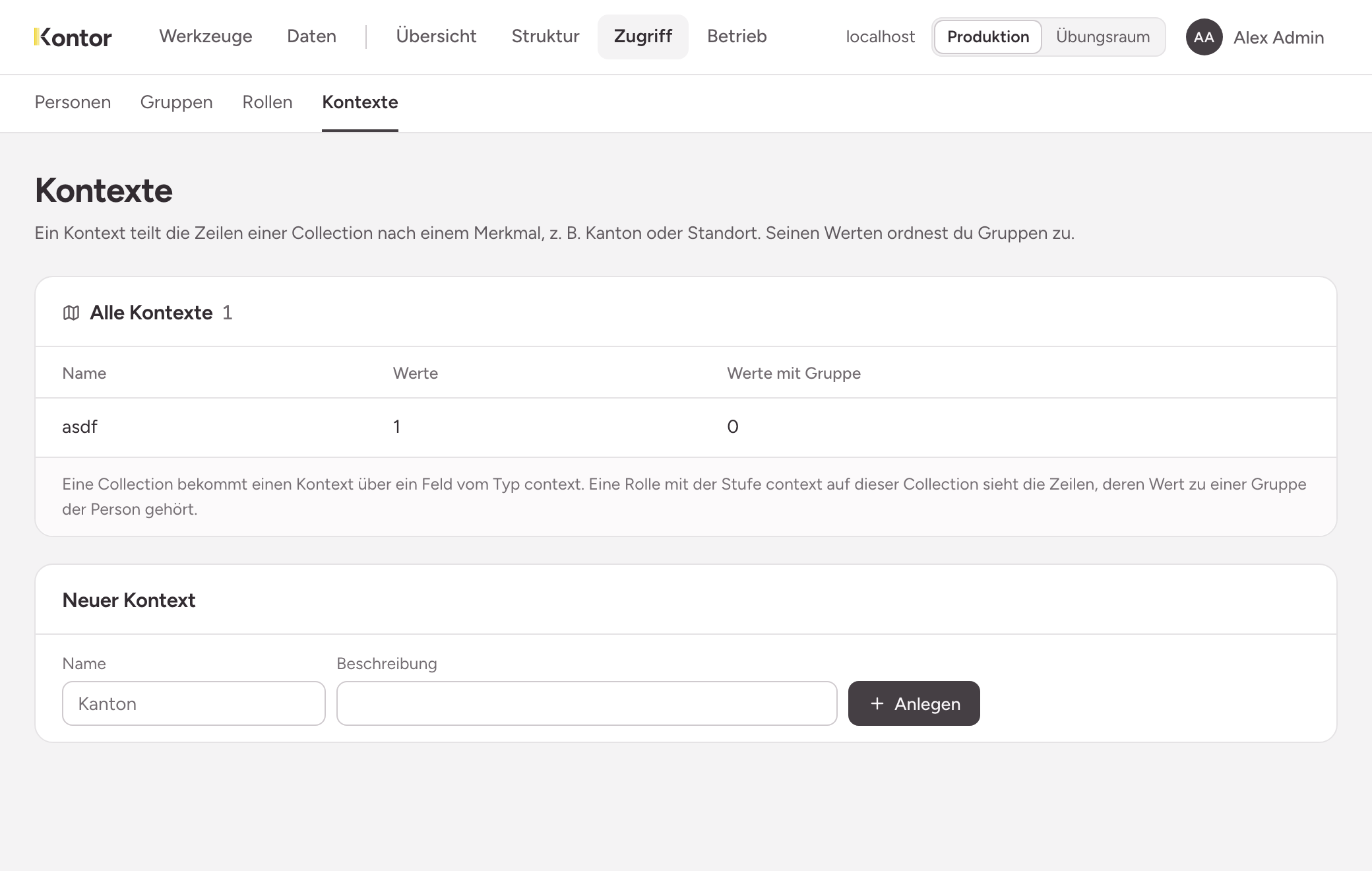
- Choose Access, Contexts.
- Enter a name under New context and choose Create.
- Open the context. Under Values, enter a value and choose Add value. Repeat this for every value.
Keep contexts coarse: cantons, sites, clients. One value per customer is too fine.
A value cannot be deleted, and neither can a context. You can:
- rename a value (Rename a value). Existing rows keep the value and show the new name.
- Retire a value. New rows no longer get it, existing ones keep it. Restore takes that back.
Mapping groups to a value
On the page of the context, below the list of values:
- Choose the Group.
- Under gets the value, choose the value.
- Choose Map.
The mapping applies to every member of the group and in every collection with this context. A group can have several values, and a value several groups. If two teams look after the same canton, both groups get the value.
A mapping alone allows nothing. It only has an effect together with the scope context on a role. When you remove a mapping, the instance asks for confirmation: afterwards the members no longer see the rows with this value, unless another of their groups has it.
You create groups under People, groups, invitations.
The context field on the collection
A collection takes the context through a field of type context. You choose the name of the field freely, for example canton. How to add a field is described under Structure: collections and fields.
- A collection has at most one context field.
- The page of the context shows under Collections with this context where it is in use.
The scope context on the right
Open the role, tab Rights. For a collection with a context field two more access kinds are offered:
| Access kind | Read / write | The members |
|---|---|---|
| Team | context / context | read and change their own rows and the rows of their values |
| Read, edit team | all / context | read every row, change their own and those of their values |
Whoever writes under the scope context can only give a row one of their own values. If the person is mapped to exactly one value, the instance sets it by itself when a row is created. Whoever writes with all chooses freely. That is how management assigns a customer to a canton it does not work in itself.
The other rules are described under Granting rights.
What applies when something is missing
The scope context never silently becomes all. If a part is missing, the person sees only their own rows, without an error message:
| What is missing | Consequence |
|---|---|
| The person is in no group with a value of this context. | The scope works like own. |
| The person holds the role directly and is in no group. | The scope works like own. |
| A row carries no value, for example because the field was added later or is not required. | Only its creator sees the row, until someone with the scope all fills the value in. |
| The collection has no context field. | The table of rights does not offer the scope. |
The person themselves sees their values on the page My access under Contexts.