Creating roles and adding people
Rights belong to a role. Whoever should be allowed to do something becomes a member.
The admin area is only visible to administrators. You find the roles under Access, Roles.
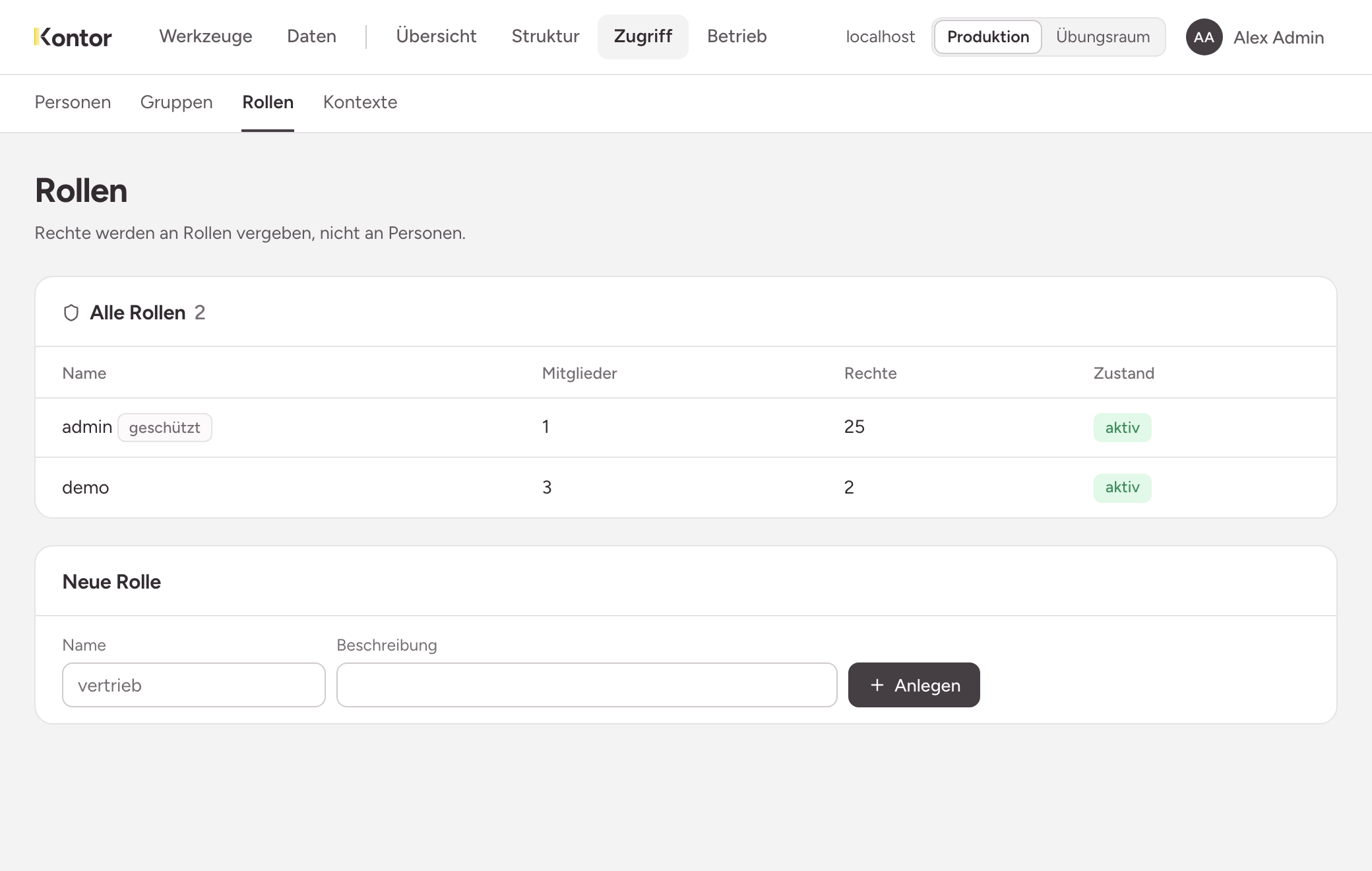
Creating a role
Enter a name under New role and choose Create. The description is optional. A good name says who the members are, for example reception or facility.
The role admin is protected. It gives access to the admin area: changing the structure and granting rights. It does not grant any right on data.
The page of a role
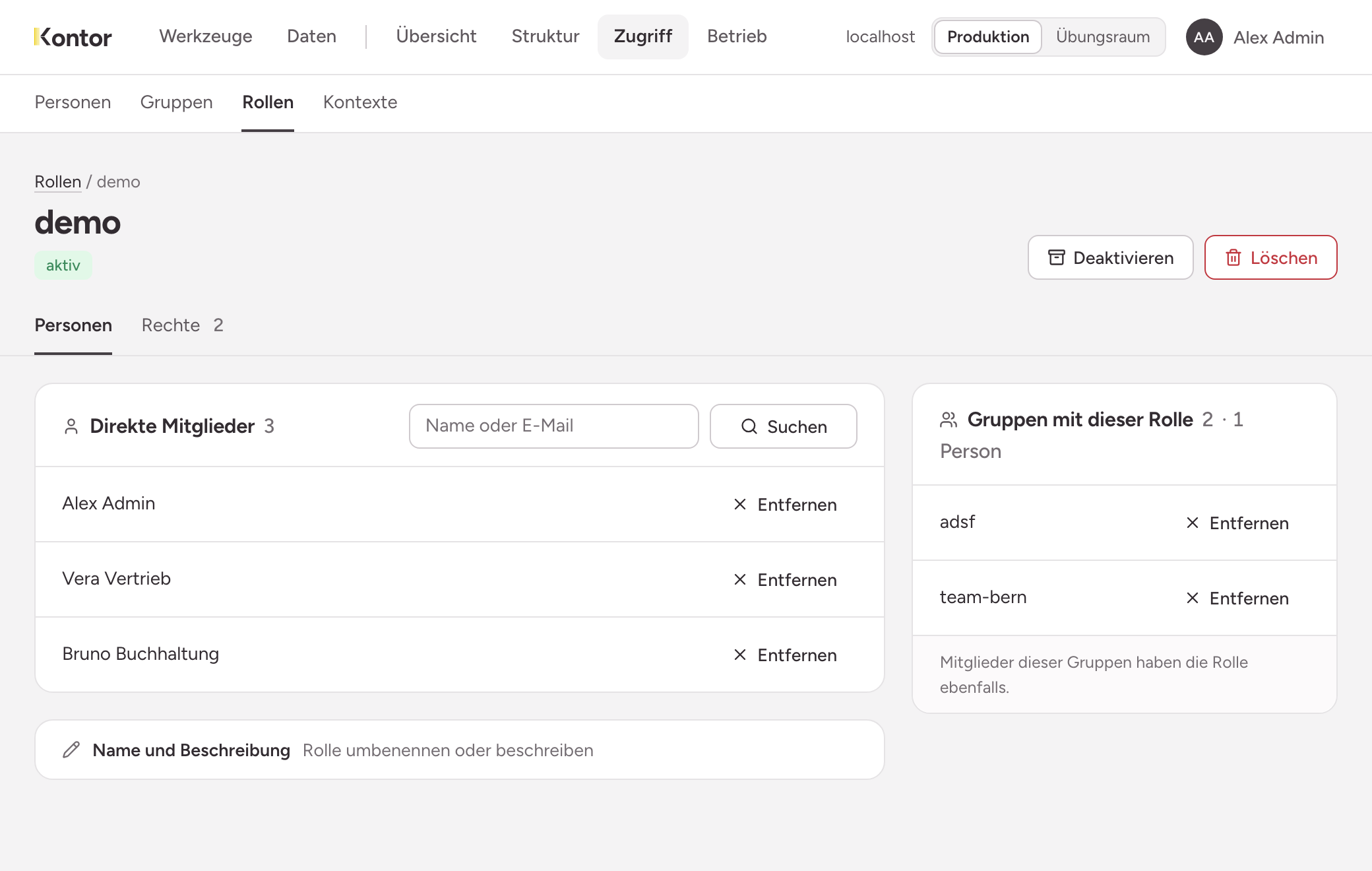
The page has two tabs:
- People shows who holds the role: direct members, and groups whose members hold the role as well.
- Rights shows what the role may do.
Adding a person
Search under Direct members by name or email and add the person. The right takes effect on their next request.
Only people who have signed in at least once can be found.
Removing a person
Remove takes a person out of the role. This also takes effect on the next request: someone who still has a page open can no longer load or save anything afterwards.
Disabling instead of deleting
A disabled role has no effect for the time being. Members and rights are kept and apply again as soon as you enable the role.