Carrying over from the practice room
What was built in the practice room reaches production only when you apply it.
Whoever builds in the practice room does not change the structure of production. Every change to the schema is kept there as a pending change and waits for you. What the practice room is, is described in Production and practice room.
Seeing what is waiting
The Overview shows Waiting for production at the very top, in the order in which you proceed:
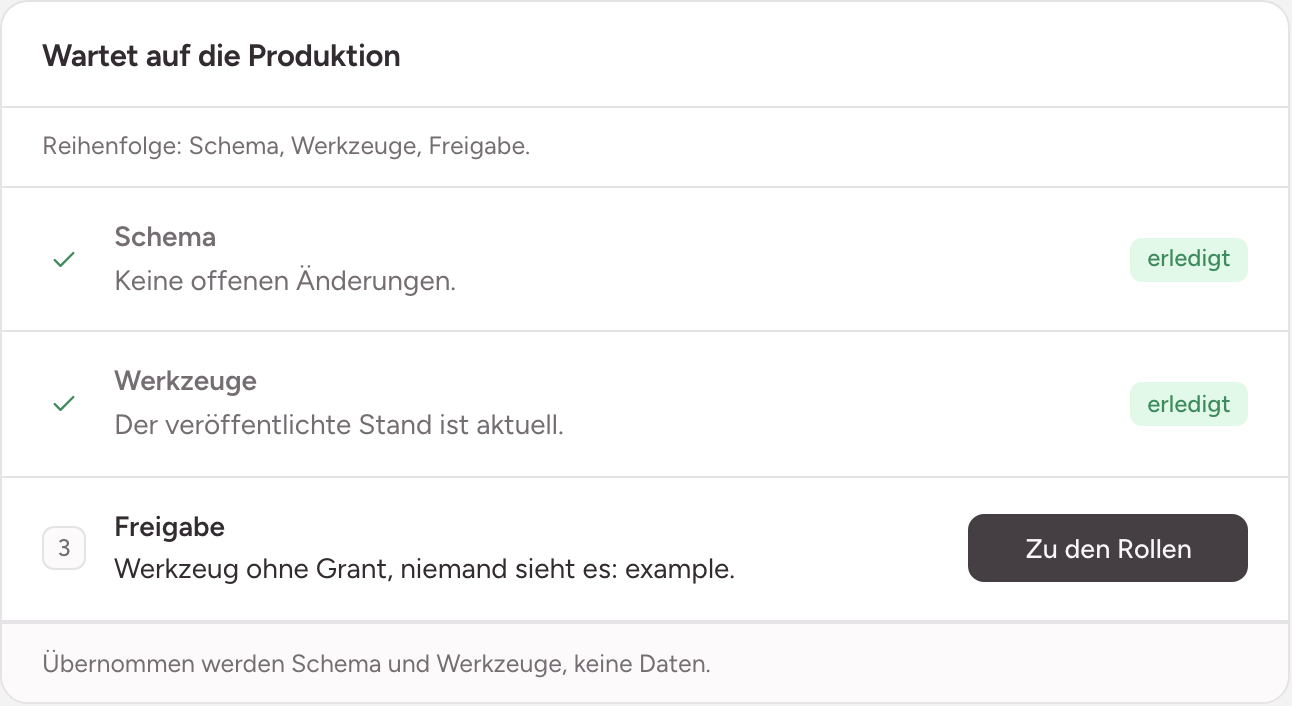
- Schema: the pending changes to collections and fields, with the way to Review and apply.
- Tools: a draft that is waiting to be published.
- Access: tools that no role sees yet.
Schema and tools are carried over, no data. The rows from the practice room stay there.
The same list of schema changes is under Structure, Schema in the section Waiting for production. Look and apply leads to the page Apply schema changes.
Checking before you apply
Under What will happen, the page lists every change with its collection, in the order in which the instance carries them out. Read the whole list, because applying is final:
- Names and types: in production there is no deleting and no change of type. Renaming only works with an alias: the old name stays valid.
- Purpose and retention: for a new collection, Purpose and Kept are shown right in the list. You are often the first human to read what an agent entered there. If something is wrong, change before applying leads to the page of the collection.
- Required fields: if a new required field meets rows that already exist in production, the page asks for a value for those rows. Without a value the instance does not apply.
- Scope: if you do not need a change, have it discarded in the practice room before you apply (see below). The page always applies the whole list.
Applying
Choose Apply to production. The instance carries out the changes step by step, in the order shown.
- If everything runs through, it reports Schema changes applied. The list is empty afterwards.
- If a step fails, it stops: Applying stopped. Applied steps stay, the rest is still open. What has been carried out stands. Fix the cause and apply the rest again.
Afterwards: tools and access
Apply the schema first. A tool that needs the new fields breaks in production otherwise. The page Tool delivery points this out as long as schema changes are waiting.
Then you publish the draft of the tools and release them to a role. Both are described in Releasing tools.
What can still be discarded in the practice room
As long as a change has never been applied, it can still be reshaped:
- A field that never reached production can be discarded.
- A whole collection that never reached production can be discarded, provided no other collection points at it. Its name is free again afterwards.
Discarding is done through the agent in the practice room, not on a page of the admin area. Ask the person who built it to discard the wrong turn. They need administrator rights themselves to do so. How to work with the agent is described in Working with the agent.
What has been applied once can no longer be discarded, not in the practice room either.
Emptying the practice room
The practice room collects whatever building and trying things out leaves behind: rows in the collections and files in the buckets. The Overview says under State of this instance, in the line Practice room, how many rows and files are in it.
- Open the Overview.
- Choose Empty the practice room. The button is missing when there is nothing in it.
- The instance asks back and names the number of rows, the number of files and the space they take. Confirm.
- The overview reports: Practice room emptied.
Emptying removes all rows of all collections and all files of all buckets in the practice room, including soft-deleted rows. Production stays, and so do the collections and fields, waiting changes, drafts, roles, rights and tools.
Only a person with admin rights can empty it, in the browser. An agent cannot.