Draft and publishing
Everything that changes a tool goes to the draft. A person puts it live.
The tool repository has two states: the published one (branch main) and the draft (branch draft). The published state changes only by publishing. Everything else writes to the draft: your git push, the agent over MCP and an installed package.
Writing to the draft
With Git:
git pull --rebase origin draft
# change files
git add . && git commit -m "aufgaben: filter by status"
git push origin draft
Over MCP the agent writes straight to the draft with scaffold_tool and put_tool_files. put_tool_files replaces exactly the files the agent sends. So it reads a file with read_tool_file first.
The instance refuses a push to main, whatever the token.
Looking at the draft
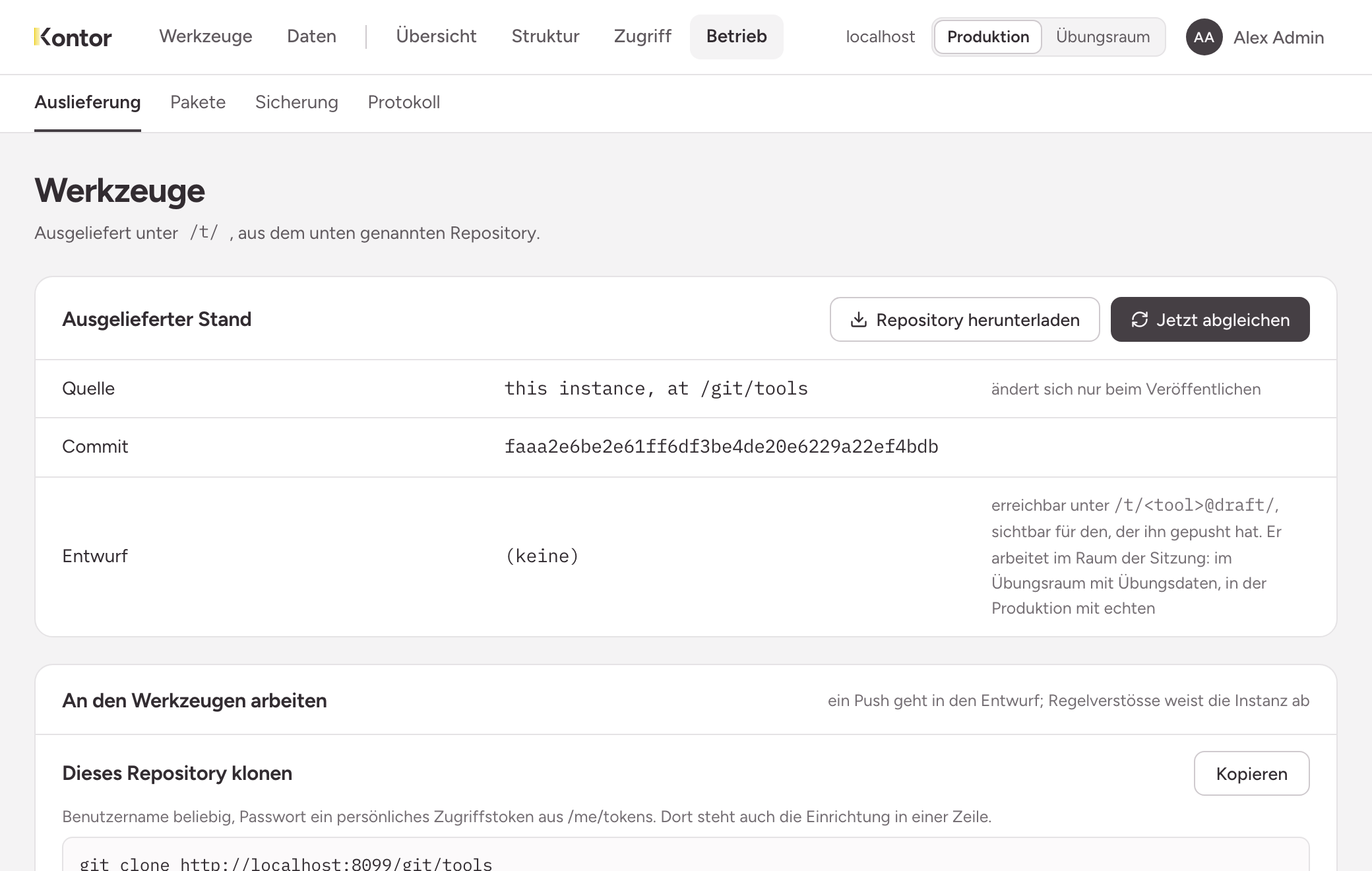
The draft of a tool is at /t/<name>@draft/. In the practice room the Tools page lists your drafts under Drafts.
- You see a draft that you pushed while signed in, or wrote over MCP, right away and without a grant.
- Others see it only if one of their roles has a grant on the tool. This applies to administrators as well.
The instance puts a banner on top of every draft page. It says that the state is not published and in which room it works.
Checking whether the state can be published
check_tool checks a tool against the same rules as publishing and changes nothing. The answer names the file, the reason and the text to put there.
A draft is accepted with less than a published state: uses in tool.json may be missing. Have the agent call check_tool before you ask someone to publish.
What a push refuses
The instance checks every state before it counts. The reason appears in your terminal, with the file.
- something that looks like an access token, in any file of any commit. Deleting it in a later commit is not enough: rewrite the commits before pushing and revoke the token.
- an inline script
- a file type the instance does not serve, or a symbolic link
- a file over 5 MB, a tool over 20 MB or with more than 200 files
- a tool name with characters other than lowercase letters, digits and hyphens
- a push that rewrites the draft (
git push -f)
If the code mentions a collection that uses does not list, the terminal shows a note: line. The push goes through anyway.
Two ways in, one repository
Your clone does not hear about it when the agent writes to the draft over MCP or a colleague pushes. A push from an outdated state then fails. So fetch the draft before you change files:
git pull --rebase origin draft
A real conflict only happens when two people change the same tool. You resolve it in your clone.
Publishing
A person with admin rights publishes, in the admin area under Operations, Tool delivery (/admin/tools), with Publish the draft. Neither a token nor the agent can do that.
- Publishing takes the whole draft. Whatever else is in it goes live too.
- Exactly the state you tried goes live. The instance copies nothing.
- Every changed tool needs
usesintool.jsonfor this. - If schema changes from the practice room are still waiting for production, the page points this out. A tool that needs them breaks until someone has applied them.
After that the tool is at /t/<name>/. Others see it only once a role has a grant on it (Releasing tools). A grant on the tool says nothing about data: the role also needs the permission on the collections.