Issuing an access token
An access token signs in an agent such as Claude Code under your name.
An agent works with your instance through a personal access token. The token has at most the rights you have yourself. You issue it behind your name, under Access tokens.
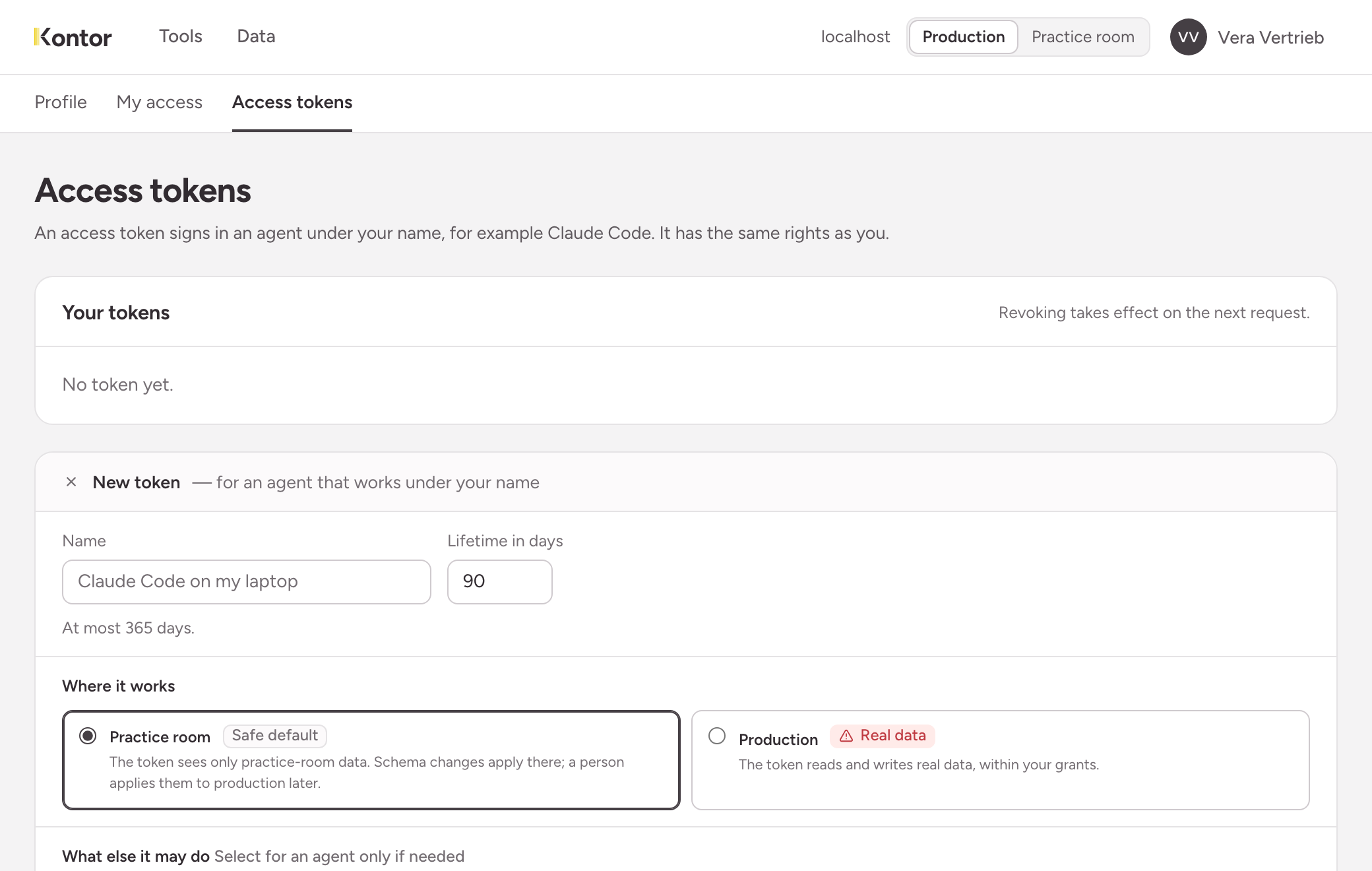
Name and lifetime
Give the token a name you will recognise later, for example the machine the agent runs on. The default lifetime is 90 days, the maximum is 365 days.
Where it works
| Choice | What the token can do with it |
|---|---|
| Practice room | It only sees the data of the practice room. Changes to the structure are made there, and a person carries them over to production later. This is the safe default. |
| Production | It reads and writes real data, within your rights. |
What else it may do
Both options are off until you choose them. Choose them for an agent only when the task requires it.
- Administration: the token reaches the administration interface and changes the structure of production directly. A field that has been added cannot be removed again.
- Change shared data: roles, permissions, people and tokens apply to both rooms. Without this option the token only adds to them, with it the token also changes what exists.
After issuing
The instance shows the token after issuing it. Copy it right away: afterwards only a fingerprint is stored, which the instance uses to recognise the token.
A token always starts with flowpac_pat_. The list Your tokens shows for each token when it was last used.
Revoking
You revoke a token you no longer need in the same list. The revocation takes effect on the next request.